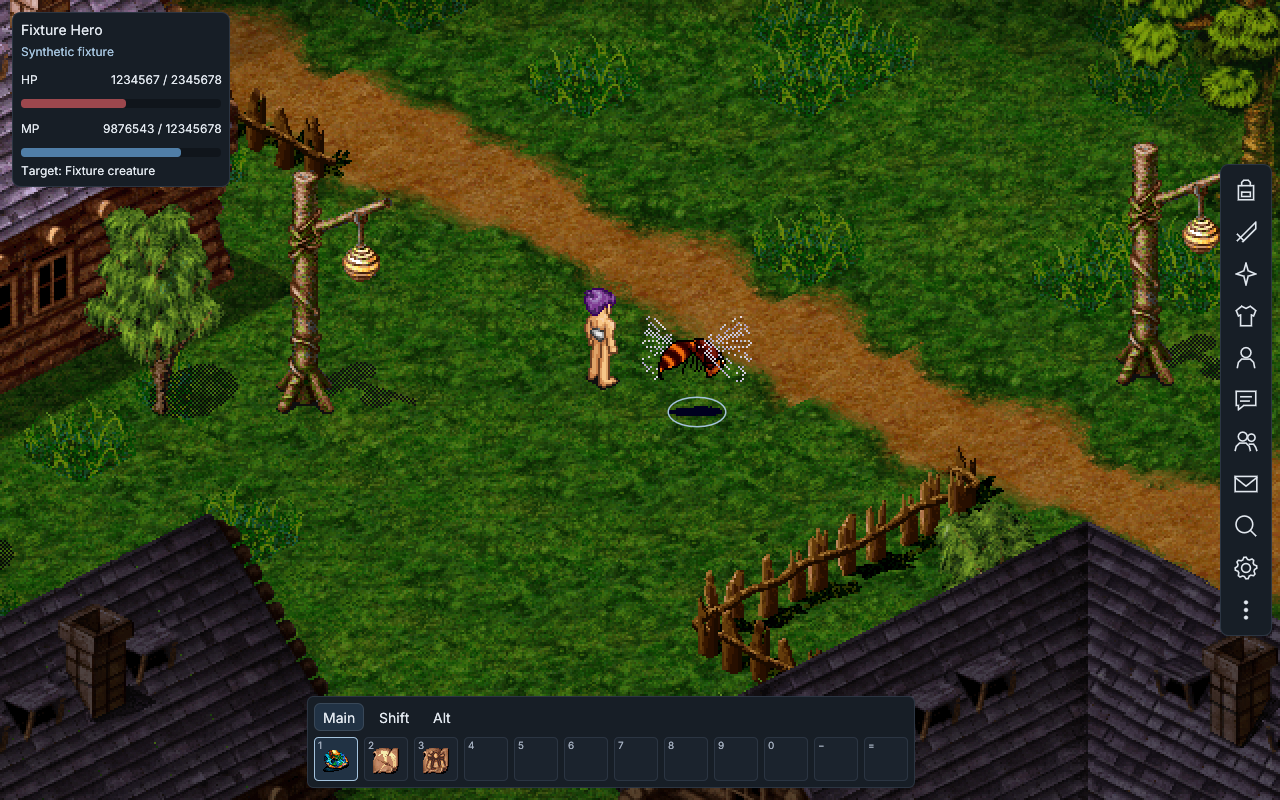
Current interface · synthetic test scene using native game graphics. This is not a live gameplay capture.
Use your existing game folder
Download and open Meridian for your system.
Select the folder containing Darkages.exe and the game’s data files.
Open Mods, install the DA module and choose Regular or Mythril. Launch the selected client from Play.
The new client sits beside the original executable and reuses your game files. Game archives are preserved and are not included in the download.
On Windows, the launcher also offers the regular client. On Linux, run the regular client separately using your own Windows-compatible setup. The preview requires a graphical desktop and a compatible GPU driver. Windows runtime testing is pending.
Prefer to build it yourself?
Each download includes a link to the standalone DA module source. It contains the client, its required public dependencies, licenses and build instructions.
Extract the ZIP and follow its README for Rust, Python 3 and platform build prerequisites. Run py -3 build-source.py on Windows or python3 build-source.py on Linux. The optional local installation creates a separate, unsigned client beside your game.
Known gaps in this preview
Some bank stack operations, group controls, spell forms and native menu or rendering variants remain incomplete. Resizing, zoom, targeting and movement have synthetic test coverage; that does not establish live server compatibility. Extended-view fog is a visual estimate of distance.
DA module release notes · 0.2.0-preview.17
Characters and map Improves character and effect alignment, missing appearance layers, translucent characters, static NPC facing and walking. Taller equipment is no longer clipped by the old sprite bounds.
Game controls A compact HUD and hotbar, clearer agreement text, and the client version and build in the window title.
Development preview Mythril is still unfinished. Some original game features and rendering remain incomplete.